How Bloomod Simplifies B2B Event Communications
One Briefing workspace for RSVP audiences, event timing, message design and review. Explore the workflow and a transparent model of potential time savings.

By Bloomod · Last reviewed November 15, 2026.
Quick answer
Bloomod is an event communication and management product for B2B teams. Its Briefing workflow brings RSVP audience selection, event-relative scheduling, email design, inbox preview and pre-send checks into one working view. This study walks through the organizer’s process, from choosing the audience to reviewing and scheduling the message.
The challenge: more than writing emails
A reminder needs an audience, a useful message and a reliable schedule. For field marketers running webinars, partner workshops or product demonstrations, the administrative work often includes:
- Tracking Going, Maybe and No reply RSVP states.
- Selecting recipients who need this particular message.
- Scheduling against the event date and timezone.
- Managing sender identity, subject line and content.
- Previewing personalization and testing the email.
- Responding to late RSVPs and changed plans.
- Avoiding incorrect recipients, links or send times.
B2B event management automation is useful when it reduces this repeated coordination without hiding decisions from the organizer. A shorter setup process is valuable only if the message still reaches the intended audience under the correct rules.
An organizer scenario
Imagine a field marketing manager preparing a product briefing for 250 invitees: 122 are Going, 38 are Maybe and 90 have not replied. The organizer wants to explain the session's practical value to the Maybe and No reply groups at 9 AM the day before the event.
That gives an initial selected audience of 128 people: 38 + 90. It is a planning count, not a guaranteed delivery count. Recipient eligibility and subsequent RSVP changes can affect sending. Going attendees do not need this particular persuasion message; joining instructions could be a separate communication.
Keep the event date, timezone, joining link and intended audience together when planning the message. Those inputs make it possible to compare workflows consistently and avoid mistaking missing review work for an efficiency gain.
Traditional fragmented workflow
In an example fragmented process, the organizer reviews RSVP data, configures a campaign, opens an editor, checks the sender, enters a send time, previews the email and sends a test. A later audience check may be necessary if recipients are managed separately from the event.
This baseline describes a possible working method, not every competitor. Existing event platforms offer segmentation, scheduling and automation. An experienced operator with a reusable template may already complete these tasks quickly. Copying a list between tools can add work, but exports are not assumed to be required by any named platform.
The Bloomod Briefing workflow
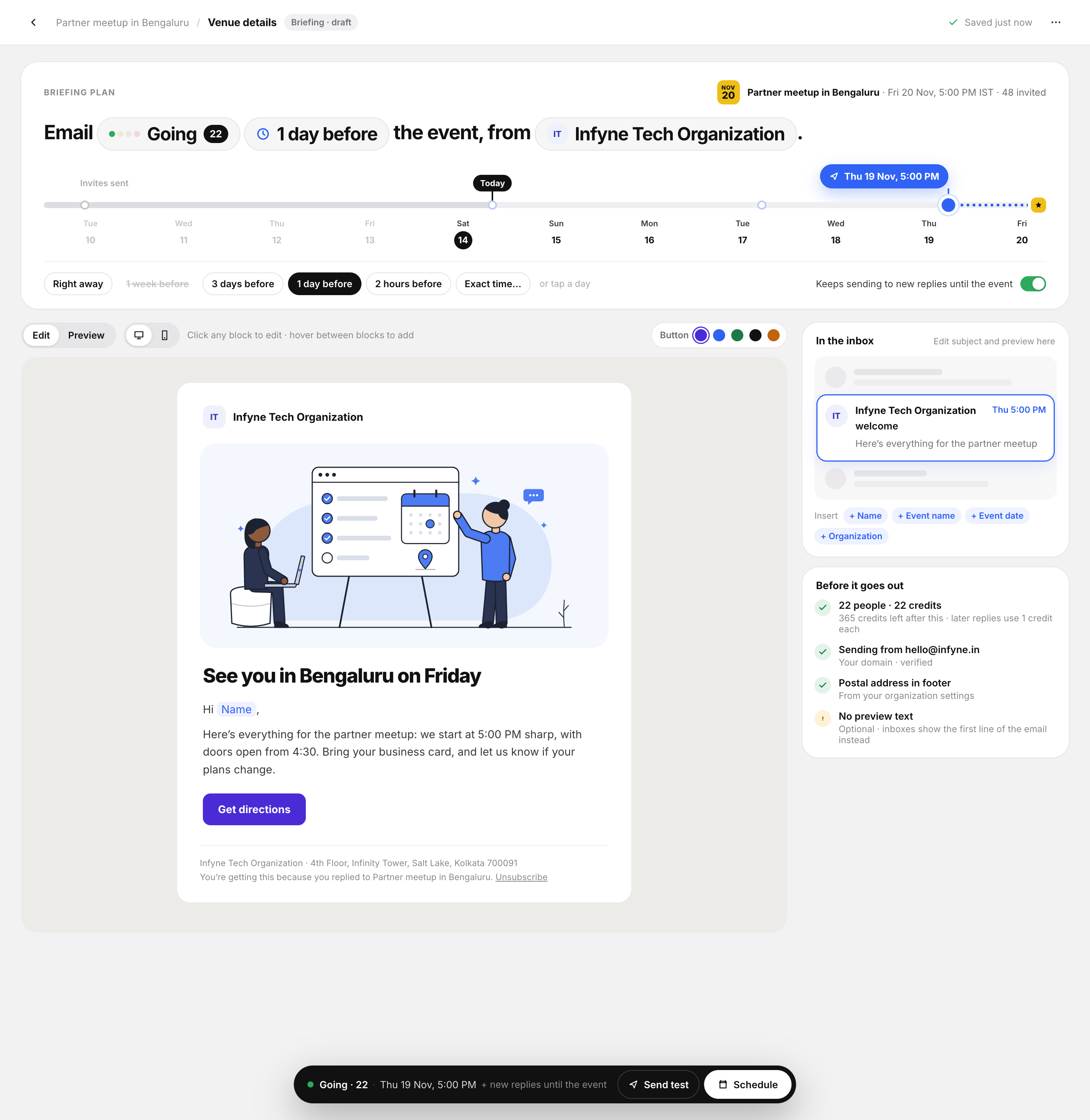
The Bloomod product screenshot below shows a one-sentence Briefing plan, event timeline, email editor, inbox preview and pre-send checks in a shared workspace. RSVP-based Briefings use Email Credits for eligible recipients.
- Choose RSVP audiences. Select Maybe and No reply for this scenario. Keeping selection beside the message makes its intended purpose easier to check.
- Choose event-relative timing. Use the event timeline or an exact time, then confirm the resolved date and timezone. This can reduce mental date calculations.
- Design the message. Explain the value of attending, confirm the organization sender and review any personalization. A single workspace can reduce navigation while writing.
- Inspect the inbox preview. Check the subject, message hierarchy and main link before moving to final review.
- Review the pre-send checklist. Use it to check audience, sender and timing. A checklist supports attention; it does not prove delivery or prevent every mistake.
- Send a test. Read the received email, inspect links and confirm fallback text. The timing model includes test review rather than assuming it disappears.
- Manage the schedule. Revisit the scheduled Briefing when details change. Confirm its current state instead of assuming an edited event automatically updates every message.
Traditional workflow versus Bloomod
| Task | Example fragmented workflow | Bloomod Briefing workspace | Potential benefit |
|---|---|---|---|
| Targeting | Review a separate RSVP list | Choose RSVP groups in the Briefing | Less audience reconstruction |
| Timing | Calculate and enter a send date | Review event-relative timing | Clearer event context |
| Design | Move into a campaign editor | Edit the Briefing message | Fewer context switches |
| Preview | Open a separate preview step | Inspect the inbox preview | Review beside the content |
| Quality checks | Use a separate checklist | Review pre-send checks and send a test | More consistent review |
| Schedule changes | Find and reopen the campaign | Use schedule controls | Easier return to the task |
| Late RSVPs | Recheck audience eligibility | Review the new-reply setting and recipient eligibility | Excluded from the time-savings model |
Potential time savings
The following planning model uses assumed task times, not measured customer results or competitive benchmarks. The baseline assumes 31 minutes of active setup work; the Bloomod scenario assumes 14.5 minutes. Both include writing and review.
| Task group | Fragmented workflow | Bloomod scenario |
|---|---|---|
| Audience selection and communication setup | 7 | 1.5 |
| Writing and formatting | 10 | 8 |
| Sender and schedule configuration | 4 | 1 |
| Preview and quality checks | 4 | 2 |
| Send and review test | 3 | 2 |
| Final recipient and schedule verification | 3 | Included above |
| Total assumed minutes | 31 | 14.5 |
The model assumes Bloomod's sender and final verification work fits within its combined setup and review steps. That assumption needs testing. It also assumes less writing time, which an interface alone cannot guarantee. Removing that two-minute writing advantage would reduce the modeled saving to 14.5 minutes.
The calculation is 31 − 14.5 = 16.5 minutes, and 16.5 ÷ 31 × 100 = 53.2%, rounded to one decimal place. Download the timing assumptions as CSV to replace them with your own observations.
At five comparable Briefings per event and 20 events per year, the arithmetic is 5 × 20 × 16.5 ÷ 60 = 27.5 hours annually. At 60 events and eight Briefings each, it is 132 hours. These extrapolations assume the same saving repeats every time; training, complex approvals and unfamiliar events could change it substantially.
Competitor comparison
Compare tools against the same audience, message and scheduling requirements. The capabilities below provide evaluation context, not a ranking of task-completion speed. Sources below were reviewed on November 15, 2026; check current account and plan availability before choosing a tool.
- Bloomod: Briefings bring RSVP selection, event-relative timing, message editing, inbox preview and pre-send checks into one workspace. Review the audience, content and schedule together before sending.
- AddEvent: Notification Flows document response and event triggers, configurable timing, content and designs. RSVP automation is therefore not unique to Bloomod.
- Luma: Event Blasts document rich-text messages, guest-status or ticket-type recipients and scheduled sends in the advanced web view. Reminders are a separate documented capability. Compare both when evaluating the workflow.
- RSVPify: its email builder supports message creation and customization. Automatic reminders allow timing before an event for attending guests. Confirm the recipient rules for your particular message.
- Eventbrite: include your full registration, ticketing and communication requirements when evaluating the platform. Consult its attendee email guide for current options; no feature-by-feature or speed rating is assigned here.
- Cvent: eMarketing scheduling documents contact filters, recipient review and scheduled delivery. Additional configuration may serve complex programs; it is not by itself evidence of inefficiency.
For more evaluation context, see Bloomod comparisons. Include ticketing, public discovery, multichannel communication and enterprise administration in the decision when those requirements matter. A focused email task cannot determine the best platform for an entire event program.
Business outcomes and product boundaries
The potential benefit is less administrative work: fewer separate decisions to reconstruct, clearer timing, more structured review and easier coordination between teammates. These are reasons to test the workflow, not demonstrated business results.
The timing model estimates setup effort only. It does not measure attendance, open rates, deliverability or revenue. The composer also includes a setting for new replies; its effect on workload is excluded from the calculation. Check recipient eligibility and scheduling behavior when RSVP statuses or event details change.
Email Credits, sender eligibility and delivery rules still apply. Review current pricing, RSVP tracking and recurring event guidance before planning a series. A repeatable workflow does not imply that every Briefing automatically carries over to future events.
How to validate the model
Run the same task in each candidate workflow: create a message for Maybe and No reply attendees, schedule it for 9 AM the day before a webinar, preview it, send a test and finalize the schedule. Use the same event inputs and message requirements, and give participants comparable training.
Measure median completion time, clicks, interface switches, mistakes, assistance required, successful completion and organizer confidence. Record experience levels and repeat the task across representative events. Separate active setup time from waiting for test delivery so the comparison remains understandable.
Before relying on changing audiences, test late replies, status changes, event rescheduling and duplicate prevention separately. Replace the assumptions with observed task timings and retain the sample size and method alongside any published result.
Explore the Briefing workflow
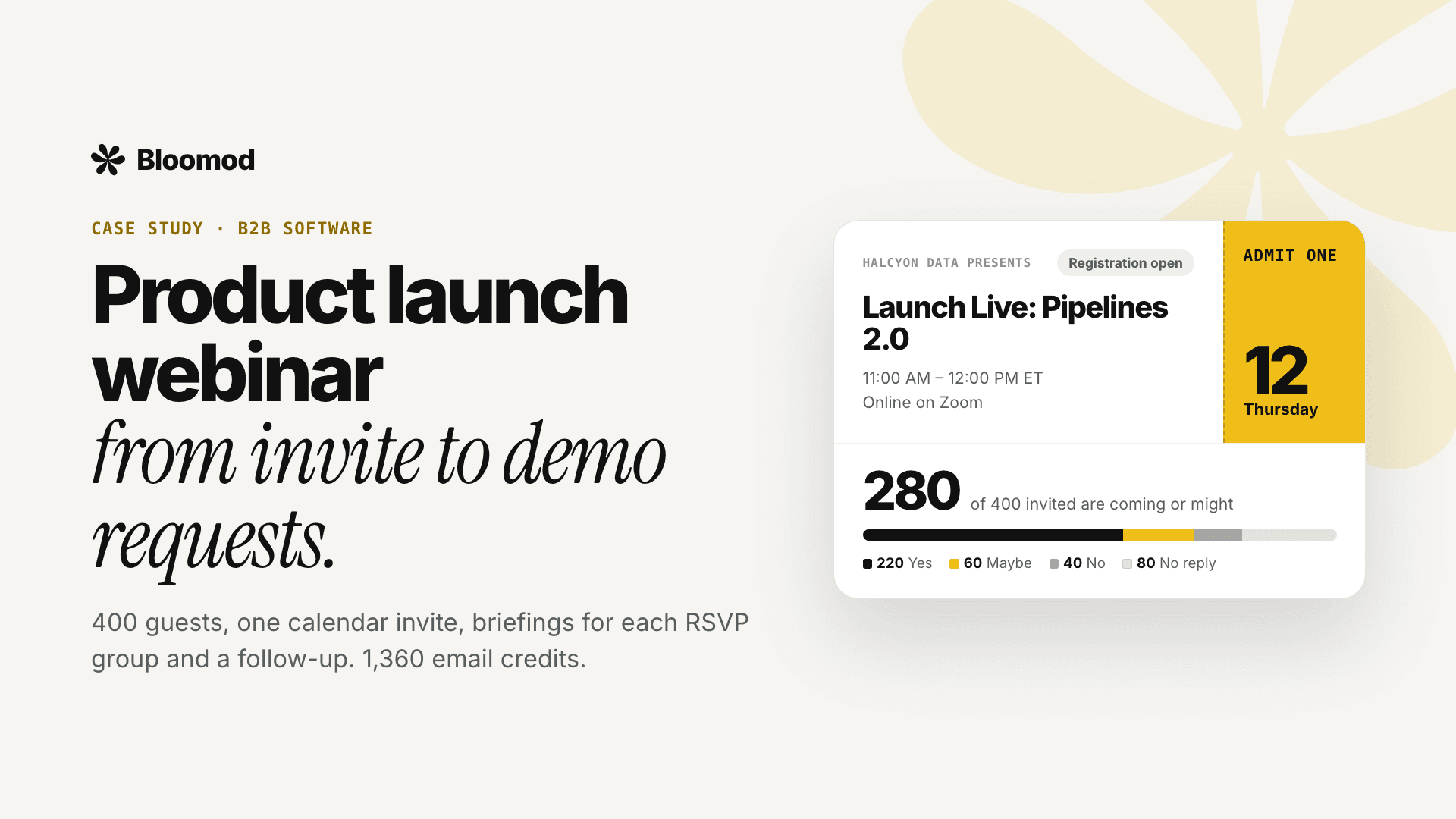
Spend less time coordinating event emails and more time preparing a useful event. Explore Bloomod’s Briefing workflow, review the product launch webinar example, and try the same audience-and-schedule task with your own event requirements.
Sources
- Bloomod Briefings — RSVP-based event communication features.
- Timing assumptions — task-level inputs for the planning model.
- AddEvent Notification Flows.
- Luma Event Blasts.
- Luma reminder documentation.
- RSVPify email builder.
- RSVPify automatic reminders.
- Cvent eMarketing scheduling.
Illustrative scenario and hypothetical timing model. No measured customer productivity, attendance or revenue results are claimed.