01
Build the form with the Event
When you create an Event, set up its registration form in the same flow: the questions, the hosted link and the embed code. There is no separate form to manage or plan limit to track.
Event registration and subscribe forms
Set up each Event’s registration form as you create it: questions, hosted link and embed code. Add Subscriber forms to grow your next audience.
Why it helps
A B2B team needs different details from a webinar registrant, a product demo prospect and a newsletter subscriber. Because each Event carries its own form, every Event asks exactly the questions it needs.
01
When you create an Event, set up its registration form in the same flow: the questions, the hosted link and the embed code. There is no separate form to manage or plan limit to track.
02
For a product briefing, ask for company, role and the business challenge the person wants to discuss. Make extra questions optional when they are useful but should not prevent registration.
03
Turn on email verification for an Event or Subscriber form when you want people to confirm their address. An Event registrant who needs to verify receives a confirmation link and waits before the automated invitation step.
See the forms
Register people for one Event, or let them subscribe to future news and invitations. Each form can have its own questions and optional email verification setting.
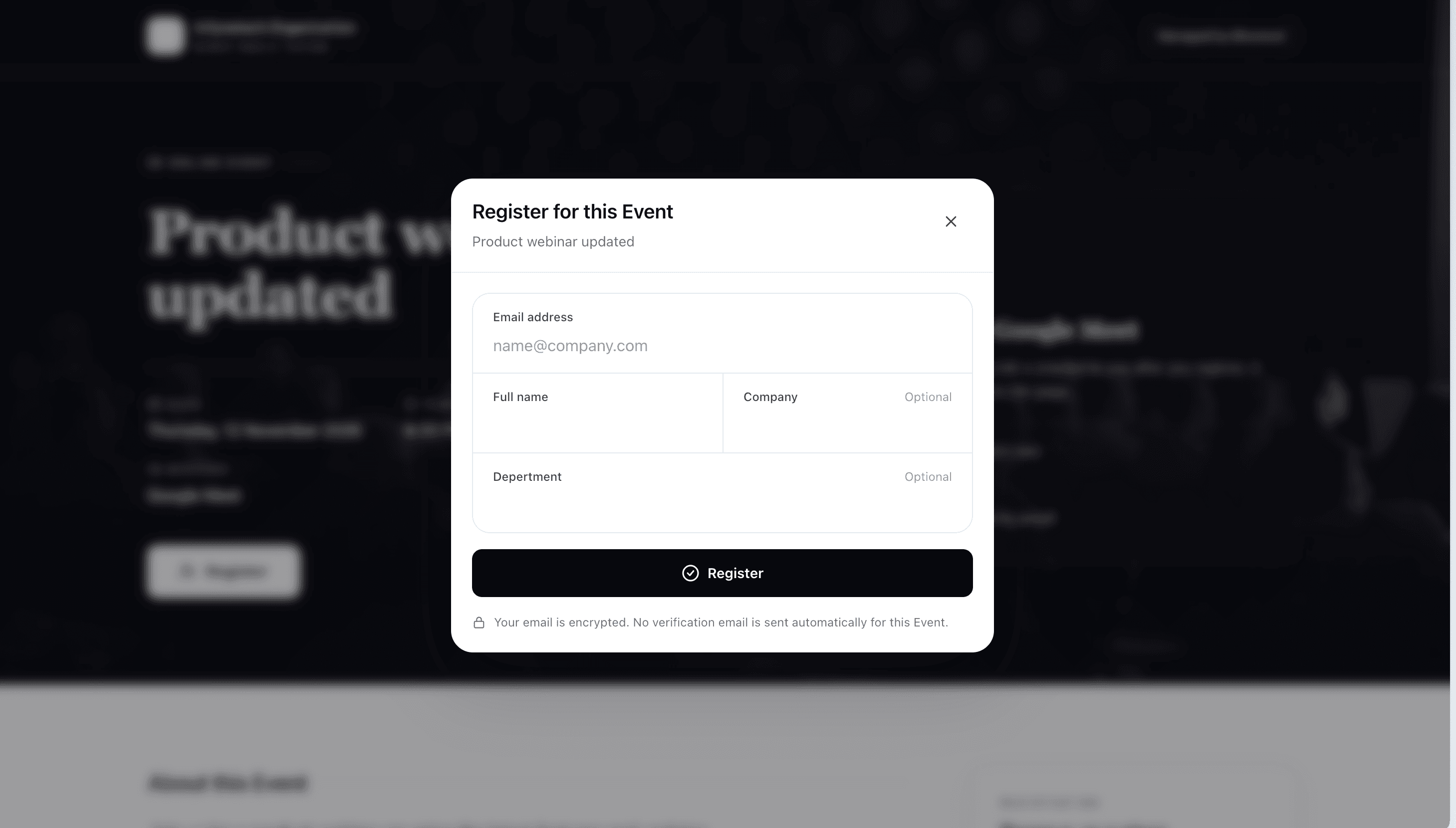
This popup gathers registrations for a specific Event. The example asks for company and department as optional questions. Verification is off in the screenshot; it can be enabled on the form when needed.
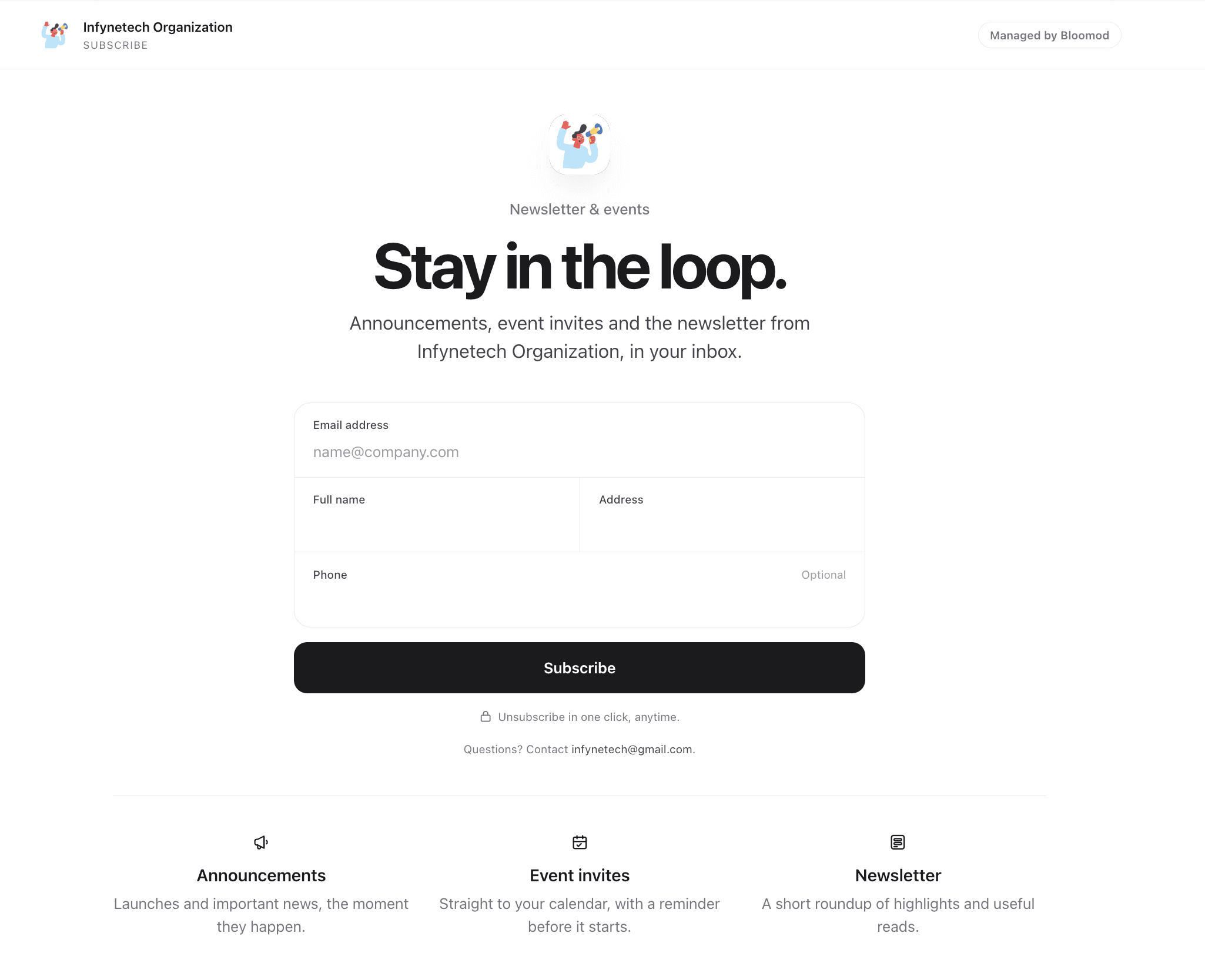
This page collects people who choose to receive future Announcements, Event invitations and newsletter-style updates. The example keeps phone optional.
B2B Event example
A software company runs a B2B product launch. Its Event form asks for name and work email, plus optional company size and a question for the sales team. A separate Subscriber form invites people to get future product updates. The team enables email verification on both forms so each signup confirms their address. A later partner webinar gets its own form with partner-specific questions, created along with that Event.
The team gets useful context before the Event, can prepare relevant answers, and keeps people who choose to subscribe available for future updates.
Every Event includes its own registration form on every plan. Subscriber limits depend on the plan: up to 1,000 on Seed, 5,000 on Stem and no published limit on Petal. Verification is optional and set on each form. Verification confirms control of an email address; it does not prove attendance or a person's employer.
Put the Event and its venue or joining link in each invited person's calendar, then see the RSVP responses available on your plan.
Send more than one pre-Event Briefing to the RSVP group that needs it, such as people who have not replied or are still unsure.
Reply to an attendee or subscriber from their Bloomod record, with the conversation beside the context you need.
Something not covered here? Write to [email protected].
Yes. You set up the registration form while you create the Event, so each Event has its own questions, hosted link and embed code. Event registration forms do not count against any plan limit.
Yes. Ask for useful details such as company or topic of interest without requiring every answer. Each Event and Subscriber form can separately require email verification when you want signups to confirm control of their address.